
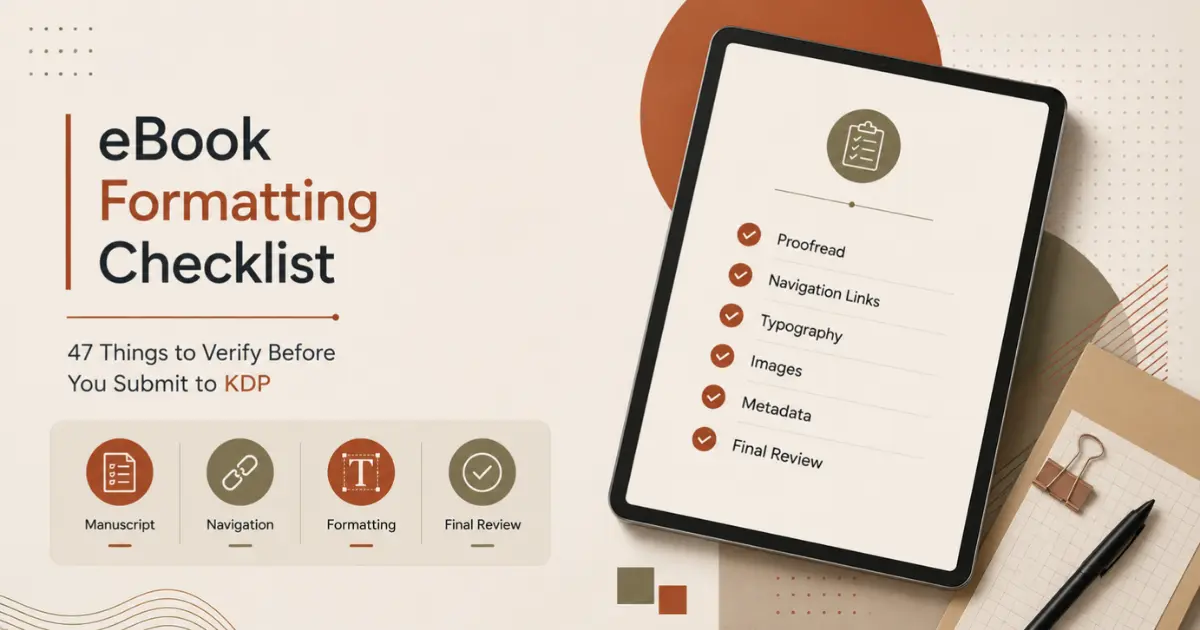
Publishing on Amazon KDP is fast, but formatting mistakes can make an otherwise professional ebook look unfinished. Broken links, messy spacing, missing navigation, and inconsistent headings can frustrate readers, trigger negative reviews, and even cause upload issues.
That is why having a reliable ebook Formatting checklist matters.
The tricky part is that most of these errors are invisible from the inside. You’ve read your own manuscript a dozen times by the point you’re ready to submit, which means you’re the person least likely to notice that Chapter 7 got left off the table of contents, or that the drop cap on the prologue doesn’t match the one on Chapter 1. A checklist works precisely because it doesn’t rely on noticing.
A checklist just asks you to verify, one item at a time, regardless of how many times you’ve already read the file. None of these individually ruin a book. Collectively, they’re the difference between a file that looks self-published and one that doesn’t.
Why You Need an eBook Formatting Checklist Before KDP
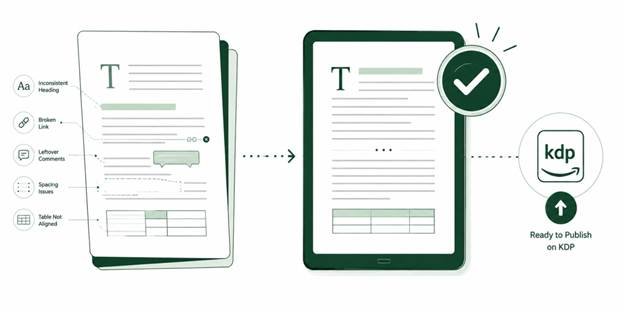
Most ebook problems do not come from big mistakes. They come from small oversights. A heading style that was never applied, a link that points to the wrong chapter, a table that breaks on mobile, or a title page that does not match the metadata.
A checklist helps you catch those issues early.
Using a structured eBook formatting checklist also makes your final review faster. Instead of wondering whether your ebook is ready, you can work through clear, repeatable checks and upload with more confidence.
This list is especially useful if you are formatting your own ebook in Word, Google Docs, Vellum, Atticus, Calibre, Kindle Create, or another conversion tool.
This checklist covers the 47 things worth verifying before you hit submit, organized by category so you can work through it section by section rather than trying to hold all of it in your head at once. Treat it as a final pass, not a first draft of your process. Go through this after you believe the book is finished, specifically looking for what a normal read-through wouldn’t catch.
Manuscript & Content
- Full manuscript has been proofread after formatting is complete, as formatting itself can introduce new errors.
- Chapter numbers and titles match the table of contents exactly, including capitalization and heading structure.
- Leftover comments, notes, and unused styles are removed from the published file to look polished.
- Character and place names are spelled consistently throughout, especially ones introduced late in the manuscript.
- Front and back matter content is final copy, not a draft placeholder that never got replaced.
- Any bonus content, downloads, or links mentioned inside the book actually work and lead somewhere live.
Front Matter
- Title page shows the full title, subtitle, and author name exactly as they appear on the cover.
- Copyright page has the correct year and the correct copyright holder name
- ISBN, if you’re using one, is correct and matches what’s registered
- Dedication and acknowledgments pages are formatted consistently with the rest of the book’s design
- No blank or duplicate front matter pages are left over from an earlier draft of the formatting
- Interior title matches the KDP title, including series information if applicable.
Table of Contents & Navigation
For the full mechanics of how EPUB navigation actually functions and how to fix broken links, see our guide to building a clickable table of contents.
- The visible table of contents page includes every chapter, not just the first several.
- Every entry on that page is an actual working link, not text just styled to look like one.
- The file’s hidden navigation menu (“Contents” button) is built and complete.
- Nonfiction books include relevant subheadings in navigation, not just top-level chapters.
- Every single TOC link has been tested individually, not just spot-checked at the beginning and end
Typography & Formatting
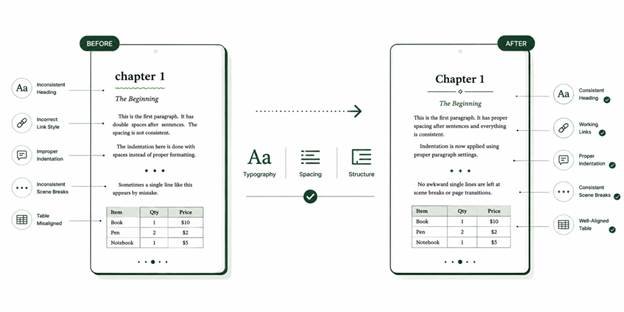
- Font stays consistent throughout, no accidental switching caused by a copy-paste from another document.
- Font size is set to scale with the reader’s own device settings, not fixed at one size.
- Paragraph indentation is consistent and built properly, not created with manual tabs or spaces.
- No leftover double spaces between sentences, a common holdover from print-manuscript habits
- Chapter heading styling is identical across every chapter
- Scene breaks are marked clearly and the same way every time they appear
- No awkward single stray words or lines sitting alone at a scene break or page transition
- Text alignment (justified or left-aligned) is applied the same way throughout the entire file
Images & Design
- All images are high enough resolution to display clearly, not pixelated on a larger screen.
- Images are properly embedded in the file, not linked externally
- Alt text is included on images, both for accessibility and because some retailers require it
- Cover image file meets KDP’s minimum resolution requirement
- No image spills off the edge of the screen unintentionally on a smaller device
- Decorative design elements, like drop caps or section dividers, have been checked in at least two different reading apps.
Technical File Requirements
- If uploading an EPUB, the file passes validation before submission
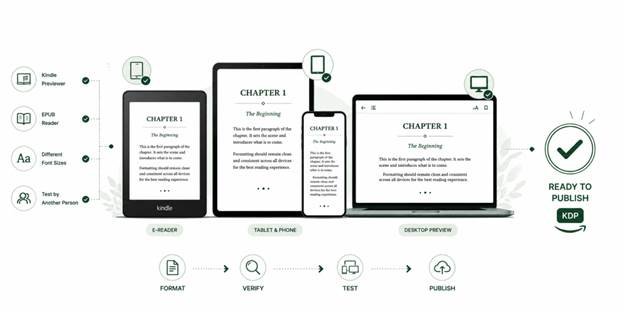
- Tested and confirmed working in the Kindle app or on a Kindle device
- Metadata, including title, author name, and language, is filled in correctly and matches your KDP listing exactly
- No broken links anywhere in the file, internal or external
- File size falls within KDP’s accepted range
- Any embedded custom fonts are properly licensed for eBook embedding, not just personal use.
- Any tables in the book display correctly on a small screen, not only in a desktop preview
KDP-Specific Requirements
- Manuscript content follows KDP’s current content guidelines
- Series and edition details match exactly what’s entered in your KDP dashboard
- Book has been checked in KDP’s own online previewer before you hit publish
- Pricing and territorial rights are confirmed correct before submission
- A backup copy of the final, approved file is saved somewhere outside of KDP itself
Final Device Testing
- Tested and confirmed working in Kindle Previewer
- Tested and confirmed working in Apple Books or a comparable EPUB reader
- Tested at more than one font-size setting, not only the default
- Someone other than the author has read at least the first few chapters on an actual device before submission
Using This List Well
Not every item here applies with equal weight to every book. A straightforward novel doesn’t need the same scrutiny on table formatting that a nonfiction book with data does. A children’s picture book will care about image resolution far more than a text-only memoir will. Read through the full list once with your specific manuscript in mind, and treat the items that clearly don’t apply as skippable rather than forcing them.
What matters more than checking every single box is how you check them. A checklist run by skimming the finished file is a different exercise than actually testing each table of contents link, actually opening the file in more than one reading app, and actually looking at cover resolution numbers rather than assuming a file looks fine because it looked fine on your screen. The value of a list like this comes from treating each line as something to verify, not something to read and mentally check off.
If you’ve hit an unexpected rejection despite checking your work, our breakdown of the 11 formatting errors that trigger a KDP rejection covers the specific fixes for each one.
FAQ’s
For most straightforward manuscripts, you won’t need to consciously check all 47; many become automatic once you’ve formatted a few books. But retailers like KDP reject files for surprisingly small issues, so having the full list once, even just to skim before your first submission, catches the mistakes that aren’t obvious until a reader (or a rejection email) points them out.
Working navigation is the most common gap: a visible table of contents can look complete while the hidden navigation file your e-reader actually uses is missing or broken. It’s invisible in the document itself, which is exactly why checklist-driven testing across devices matters more than a visual read-through.
For a straightforward manuscript, budget 1–3 hours for a full pass, longer if you’re fixing issues as you find them rather than just auditing. Books with heavy images, tables, or unconventional structure take longer, since more of the 47 items apply and each fix needs re-testing.
Both. Several items like consistent heading styles and clean manuscript formatting need to be correct in your source file before conversion, since a converter can’t fix structural problems for you. Others, like testing your table of contents and checking device rendering, can only be verified after the EPUB file exists.
Conclusion
Good ebook formatting is not about making your book look fancy. It is about removing friction so readers can focus on your content. A clean file, reliable navigation, consistent styling, and a final device check can make the difference between a professional ebook and one that feels amateur. Use this eBook formatting checklist before every KDP upload. Over time, it will become part of your normal publishing workflow, and you will catch common formatting issues before they ever reach your readers. If you’d rather not run all 47 checks yourself, Uprisen Publishers’ eBook formatting service tests every file across five or more devices and backs it with a 100% retailer approval guarantee.