
Vellum, Atticus, Calibre, and Sigil Compared
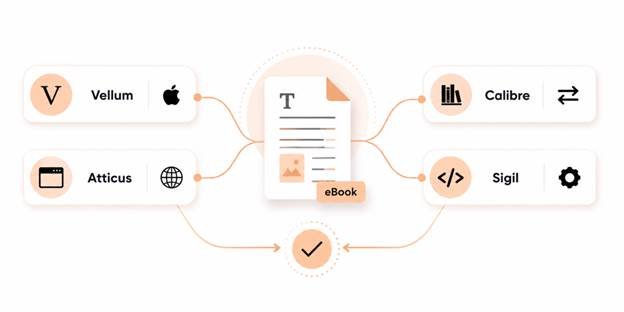
Four names come up in almost every conversation about formatting your own eBook, including Vellum, Atticus, Calibre, and Sigil. They get recommended interchangeably, but they’re not actually interchangeable. One is Mac-only. One is free and built for something slightly different than what most authors think it does. One expects you to be comfortable reading code. Picking based on which name you saw most often, rather than which tool matches your setup and your book, is how people end up frustrated with a program that was never wrong for the job but wrong for them.
Here’s what each one ebook formatting software actually does, what it costs, where it falls short, and how to figure out which one fits your situation before you spend money or hours on the wrong tool.
How to Choose, in Thirty Seconds
Before the details, the fastest filter is three questions:
- What computer do you use? This eliminates options immediately. One of these four tools is Mac-only.
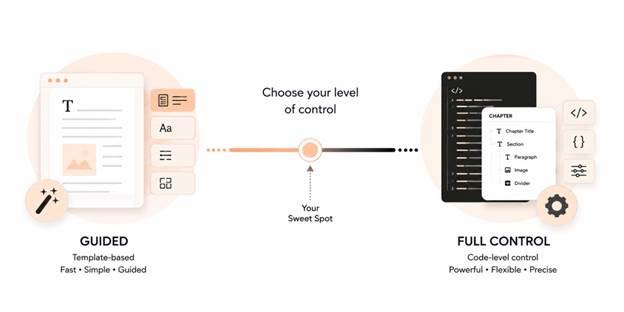
- Do you want a guided, template-based experience, or full control over every detail? Guided tools are faster to learn. Full-control tools take longer but let you do things templates don’t anticipate.
- Is your budget zero, or are you willing to pay once for a smoother experience? Two of these four are free.
Answer those three, and you’ve usually narrowed it to one realistic option before reading a single review.
Vellum
Platform: Mac only
Price: One-time purchase with $199.99 for eBook output, $249.99 for eBook plus print
Best for: Mac-owning authors who want professional-looking results without touching code
Vellum is the tool most frequently recommended in self-publishing circles, and the reputation is mostly earned. You import a manuscript, choose from a set of polished, genuinely attractive templates, and watch a live preview update as you make changes, including a side-by-side view of how the page will look on an iPhone, iPad, and Kindle simultaneously. For straightforward novels, memoirs, and nonfiction books, it produces output that looks custom-designed without requiring any design background.
The catch that surprises new users: Vellum is free to download and use for as long as you want, but you can’t generate your final files without paying. That’s a reasonable way to try before buying, but it means the “free” version isn’t actually usable for publishing.
The bigger limitation is the platform lock. If you use Windows, Vellum isn’t an option at all. Authors sometimes buy a cheap secondhand Mac Mini specifically to run Vellum, which tells you something about how strong its reputation is, but it’s also a real added cost worth factoring in if you don’t already own a Mac.
Atticus
Platform: Web-based; works on Windows, Mac, Linux, and Chromebooks
Price: One-time purchase, roughly $147
Best for: Non-Mac authors who want Vellum’s guided experience without the platform restriction.
Atticus was built specifically to answer the “what if I don’t own a Mac” problem, and it shows. It runs in a browser, which means it works identically regardless of your operating system.
It includes both a distraction-free writing mode and formatting output. Some authors also use it as their primary writing tool, not just for formatting at the end.
The template selection is smaller than Vellum’s and slightly less refined in places. Being browser-based means you’re relying on a stable internet connection while working, which matters if you write somewhere with unreliable Wi-Fi.
The gap between Vellum and Atticus has been closing steadily with each update, and for Windows and Linux users, it’s currently the closest thing to Vellum’s ease of use.
Atticus also formats for print, not just eBooks, in the same purchase. It is useful if you’re planning to publish in both formats and want a single tool to handle both, rather than switching software.
Calibre
Platform: Windows, Mac, Linux
Price: Free, open source
Best for: Converting between formats, managing a library of eBooks, and light editing.
Calibre gets recommended constantly, but it’s worth being precise about what it’s actually for. At its core, Calibre is an eBook library manager. It organizes your collection, converts files between different formats, and syncs to devices. It does include a built-in editor capable of adjusting an EPUB’s internals, but that editor is closer to a code-and-structure tool than a design tool, and it isn’t where most authors should start building a book from scratch.
Using it as the only formatting tool for an entire manuscript is possible, but it requires more technical comfort than most authors want to bring to the process, and the visual result won’t match what a template-driven tool produces without considerably more manual effort.
Sigil
Platform: Windows, Mac, Linux
Price: Free, open source
Best for: Authors and formatters who want full control and are comfortable with HTML and CSS.
Sigil is a dedicated EPUB editor, and it’s the most hands-on option on this list. There’s no guided setup, no template gallery, no wizard walking you through decisions. You’re working directly with the book’s underlying structure, which means genuine full control. If phrases like “editing the stylesheet directly” sound intimidating rather than interesting, Sigil will be a frustrating starting point.
This is the tool professional formatters often reach for specifically because templated tools can’t handle every edge case. For a first-time author formatting one straightforward novel, it’s rarely the right starting point. For someone who wants to genuinely understand what’s happening inside their file, or who has formatting needs a template can’t accommodate, it’s the most capable option that costs nothing.
Sigil also only produces EPUB files. There’s no built-in path to a Kindle-specific format, so most Sigil users pair it with Calibre or Amazon’s own conversion tools to generate a Kindle version afterward.
Side-by-Side Comparison
| Vellum | Atticus | Calibre | Sigil | |
| Platform | Mac only | All 3 + Chromebook | Windows/Mac/Linux | Windows/Mac/Linux |
| Price (1-time) | $199.99–$249.99 | ~$147 | Free | Free |
| Learning | Low | Low | Medium | High |
| Design control | Template-based, guided design | Template-based, guided design | Minimal, structural | Full, code-level |
| Print format | Included | Included | Not a focus | Not a focus |
| Best for | Users wanting guided design | Non-Mac users guided design | Conversion & library management | Full manual control |
What These Tools Won’t Do For You
Even the most polished template-based tool has limits worth knowing before you commit to the DIY route entirely.
They won’t catch every device-specific rendering issue.
A live preview showing how your book looks on a simulated iPhone or Kindle is genuinely useful, but it’s still a simulation. Actual devices, actual firmware versions, and actual reading apps sometimes render things differently than any preview predicts.
They won’t make design decisions for you.
A template gives you options, not judgment. That means choosing a font pairing that suits your genre, deciding how much white space a poetry collection needs versus a thriller, or figuring out how to handle an unconventional structural choice in your manuscript still falls to you.
They handle standard books better than unusual ones.
A straightforward novel, memoir, or business book fits comfortably into what any of these four tools were built for. A cookbook with recipe cards, a heavily illustrated children’s book, or a poetry collection will push against the edges of what template software anticipates.
DIY vs. Professional: How to Actually Decide
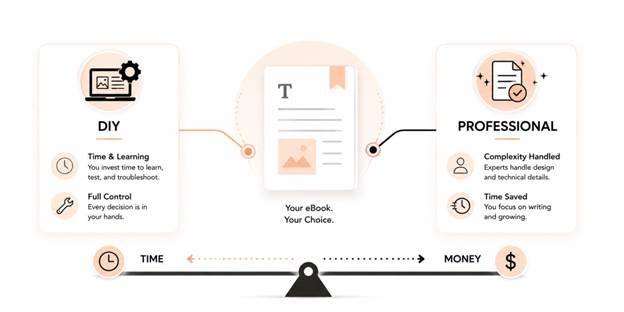
None of these four tools are wrong choices. They’re each right for a specific combination of budget, technical comfort, and book complexity. The honest way to decide between formatting it yourself and hiring someone is to be specific about your own situation. The best eBook formatting software depends entirely on your technical comfort, your book’s complexity, your budget, and whether you’re formatting one book or building a backlist empire.
DIY software makes sense when your manuscript is straightforward, you have the time to learn a new tool, and the idea of troubleshooting a formatting quirk yourself doesn’t feel like a burden. Professional formatting makes more sense when your book has real design complexity, your time is better spent elsewhere, or you’ve already tried the DIY route and hit a wall a tutorial didn’t cover.
It’s also worth remembering this isn’t necessarily an all-or-nothing choice. If you’ve read this far and you’re still unsure whether to invest in software or invest in your time, consider what your hours are actually worth. Formatting is a one-time production task. Writing, marketing, and building your audience are ongoing.
If the DIY route sounds like more trouble than it’s worth, Uprisen Publishers’ eBook formatting service handles the whole process custom typography, working navigation, and multi-device testing with a 100% retailer approval guarantee, so you skip the learning curve entirely.
Frequently Asked Questions
Not cleanly. Each of these tools stores your book in its own internal project format, not as a plain manuscript file you can freely move between them. If you draft in Atticus and later decide you want Vellum’s templates, you’ll need to re-import your original manuscript file into the new tool and rebuild formatting choices from scratch, rather than carrying settings over.
Vellum and Atticus both offer print formatting as part of their paid packages, producing a print-ready PDF alongside your eBook files. None of the four handle audiobook production. That’s a separate process entirely, unrelated to eBook or print interior formatting.
For a straightforward manuscript, Calibre or Sigil can absolutely produce a fully functional, store-ready file. Free doesn’t mean broken. What you’re trading for the price of Vellum or Atticus is time and design guidance, not a ceiling on quality. A patient author willing to learn Sigil can produce something just as clean as a Vellum file.
EPUB Clickable Table of Contents: Complete Formatting Guide
[…] actually create these files. Unless you are hand-coding your ebook from scratch, you will rely on formatting software to generate the hidden navigation files for […]